
Need to add a new page to your website? Update and add with ease!
Video Walkthrough
Need a visual run-down of the page build process with some bonus block tutorials? Watch Below:
How to Add a Page
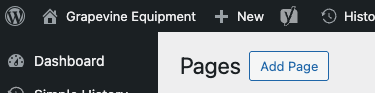
- Navigate to the Pages section from your dashboard after logging in. Select “Add Page”. This is where you can create your page title. This is how you will find your page under the list of pages.
View What You’ve Added on the Page
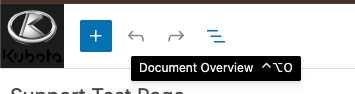
- The three lines at the top left corner once editing the page is the Document overview. This will show you what you’ve added onto the page.
Adding Blocks to a Page
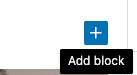
- Add new blocks using the + symbol. The blocks that show in the pop-up first will be the most used blocks.
- Select “Browse All” after clicking the + symbol. Under the Thrive section is where all of our created blocks for you live.
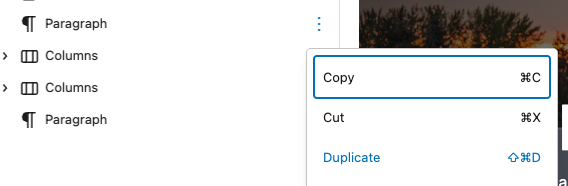
- Duplicate any block on a page by selecting the three dots next to each block within the document overview or by clicking the three dots next to the block itself on the page.
How to Return to the Main List of Pages
Click the Kubota K or your logo at the top left hand corner, and this will bring you back to the main list of pages.
Editing Pages Quickly

- Quick Edit – Select draft mode or publish mode here without having to click into each page
- Draft – Selecting a page to be set to draft will remove it visually from the front end of the site. *Be sure to double check that the page is not in the menu or you will see a 404 error message when you set a page to draft. Reach out to our Support Team!
- Clone – Select the Clone option to make a copy of that page. This is most used for copying a page you need the same template/look and multiple of.
- Trash – Pages live in the trash section for up to 30 days
- View – See what your page looks like
Reach out to our support team at support@tractru.com after your page is ready to be shown to the world and we can help you add your new page to your menu!
Here is our walkthrough video on how to edit the Mega Menu if you can see a “Mega Menu” section in the backend of your website.

*Bonus* Most Popular Blocks For Page Building:
Utilize some of these blocks for better visually pleasing page builds!
- Paragraphs
- Heading
- Columns
- Buttons/ Button banner
- Heros
- Forms
- Video
- Images
- Cards